Cloud and Self-Hosting
Openfiler NAS Server for Home or Small Office
By Amjid Ali · · Updated · 2 min read
In this article
Openfiler NAS is one of the best open source NAS Systems. This is an opensource Storage that helps you use existing hardware that you have, and make it your own NAS Server.
There are many flavors of open source distribution for NAS. We have chosen are two FreeNAS and Openfiler. This particular NAS has got popularity because of various reasons.
It provides all the features that a commercial NAS storage currently has. I have tested all the aspects then I thought I must share my experince being and IT Manager. One by one all protocols are tested be it storage protocols like like CIFS (samba), FTP, NFS, TFTP, AFP, RSYNC, Unison, iSCSI (initiator and target) and UPnP.
It supports Software RAID (0,1,5), ZFS, disk encryption, S.M.A.R.T/email monitoring with a WEB configuration interface. I have also tested all the features on virtual Environment.
Storage Limitations of OpenFiler NAS
It supports both hardware and software RAID, it supports Active/Passive Clustering, it is scalable upto 60TB.
- System with CD ROM
- System with CD ROM
- 512MB Ram or More
- 256 MB Compact Flash or Flash Disk
- IDE or SATA Hard Disk Opensource NAS When it comes to opensource
- IT supports upto 60Tb but it also depends on the hardware that you are using.
Openfiler NAS User Interface
It is easy to manage openfiler both in CLI and Web GUI mode. One time configuration is required when you implement this for the first time. Once you install then you can either use SSH Client or Web Browser to manage, configure or monitor.
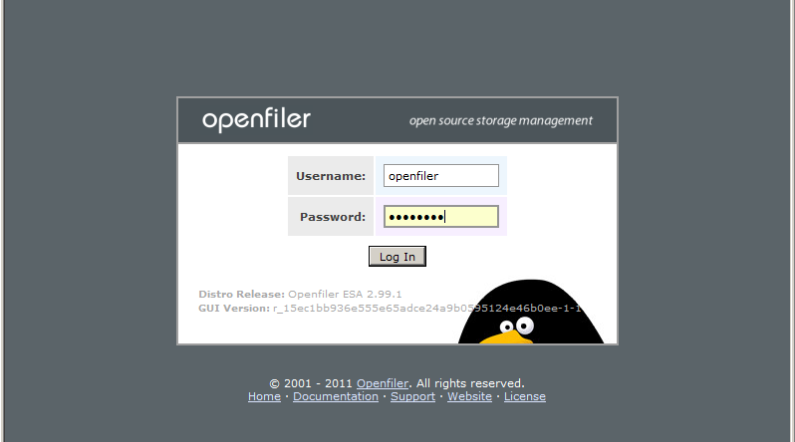
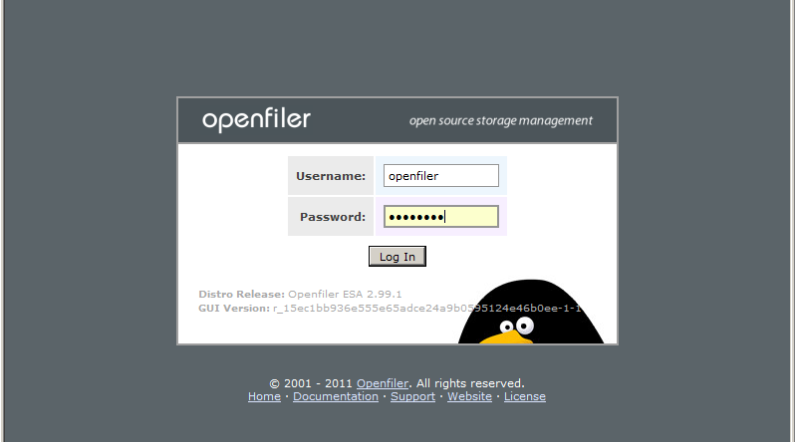
Default Credentials for OpenFiler
Once you login for the first time its userID is opefiler and password is openfiler
OpenFiler NAS Installation Tutorial
To help you better I have created a step by step video tutorial on how to use openfiler. please watch below step by step guide of everything related to open filer Please don’t forget to give your feed back about this video, this will help me in improving my future posts.
1TB or 100TB? depending on your requirement you can use hard ware. For the purpose of demonstration we can use any hardware, but software is for free. For demo and testing purpose you can use Virtual Machine. If you are home user even you can try with your old desktop PC or Server.
Openfiler NAS Raid5 Configuration
n this video I have demonstrated the setup for RAID 5 Configuration.
Related videos
Video library- Cloud and Self-Hosting
Asustor Drivestor 2 Lite (AS1102TL) Review: Best Budget 2-Bay NAS for Home & Small Business in 2025
· 5:39 · 7.8K views
Watch on YouTube - Cloud and Self-Hosting
Openfiler Installation and Configuration - RAID 5
· 7:04 · 314 views
Watch on YouTube - Networking and Security
Ultimate pfSense Installation Guide: Home, Office, and Enterprise
· 4:22 · 1.3K views
Watch on YouTube
Keep reading
 Cloud and Self-HostingList of Best Server Virtualization Software in ItalyA list of the best server virtualization software options for enterprises in Italy, compared on architecture, licensing, and security. · 5 min read
 Cloud and Self-HostingWhen Free Stops Being Free: Understanding Cloud Storage for Business Usesource · 3 min read
 Cloud and Self-HostingExchange Server Database won’t Mount after Dirty Shutdown? Here’s How ESEUTIL can HelpExchange admins sometimes face a situation where the database does not come online or fails to mount itself. There are a number of things that could cause · 5 min read